Maximizing AV Technology for Town Hall Meetings: Essentials For Successful Communication and Engagement

Creating a Hub for Hybrid All-Hands Gatherings
A well-designed town hall or all-hands space can meet the needs of multiple stakeholders, including employees, customers and various partners. These AV-enabled spaces enable leaders to discuss important news, celebrate successes and marshal teams to action. For global enterprises, they allow far-flung staff to gather as one. And daily for a broad cross-section of users, a townhall environment can be a fixture for collaboration and communication.
Maximize your investment in AV for town hall meetings by considering at the outset how your all-hands space will be used and any obstacles you may encounter in bringing the project to completion. Whether you’re creating a town hall from scratch, renovating an existing environment, or upgrading your current all-hands space for a new generation of use, a methodical approach will ensure that all relevant questions are asked – and answered.

Why AV Technology Matters in Town Halls
Your investment in a town hall will only pay off to the extent that participants are seen and heard, content can be easily shared, and audiences – remote and on-prem – are engaged. For this to happen, you need:
- Quality audio, including speakers and mikes.
- Clear visuals
- Easy control & operation
- Effective lighting
- Flexibility to handle all your use cases
- Scalability to accommodate your evolving needs without having to redo the space entirely.
Six Steps to Successful Town Hall / All-Hands AV Integration
1. Understand Your Needs
Imagine you had a fresh whiteboard. What would your sketch for your Town Hall space look like? Before selecting or upgrading your AV technology, evaluate your organization’s unique requirements.
- Audience Size. Ensure your setup can accommodate the maximum number of people who will gather there while also providing meeting equity for remote participants.
- Room Dimensions. Room acoustics and size will influence your choice of speakers, microphones, and displays.
- Interactivity. Consider tools that support live Q&A sessions, polling, and collaboration.
- Space Design. Your facility may require dedicated spaces to provide the experience you want.
- Equipment Closet. While some town halls combine rack room and control room, you may want to create a separate equipment closet to house racks and the infrastructure to power them, isolate noise, and better control temperature and ventilation. Having equipment out of sight can also enhance a town hall’s aesthetic appeal, and housing sensitive gear in its own environment improves security and access control. In addition, the closet can have its own isolated power circuits for improved reliability. You can also install fire suppression systems without impacting the control room.
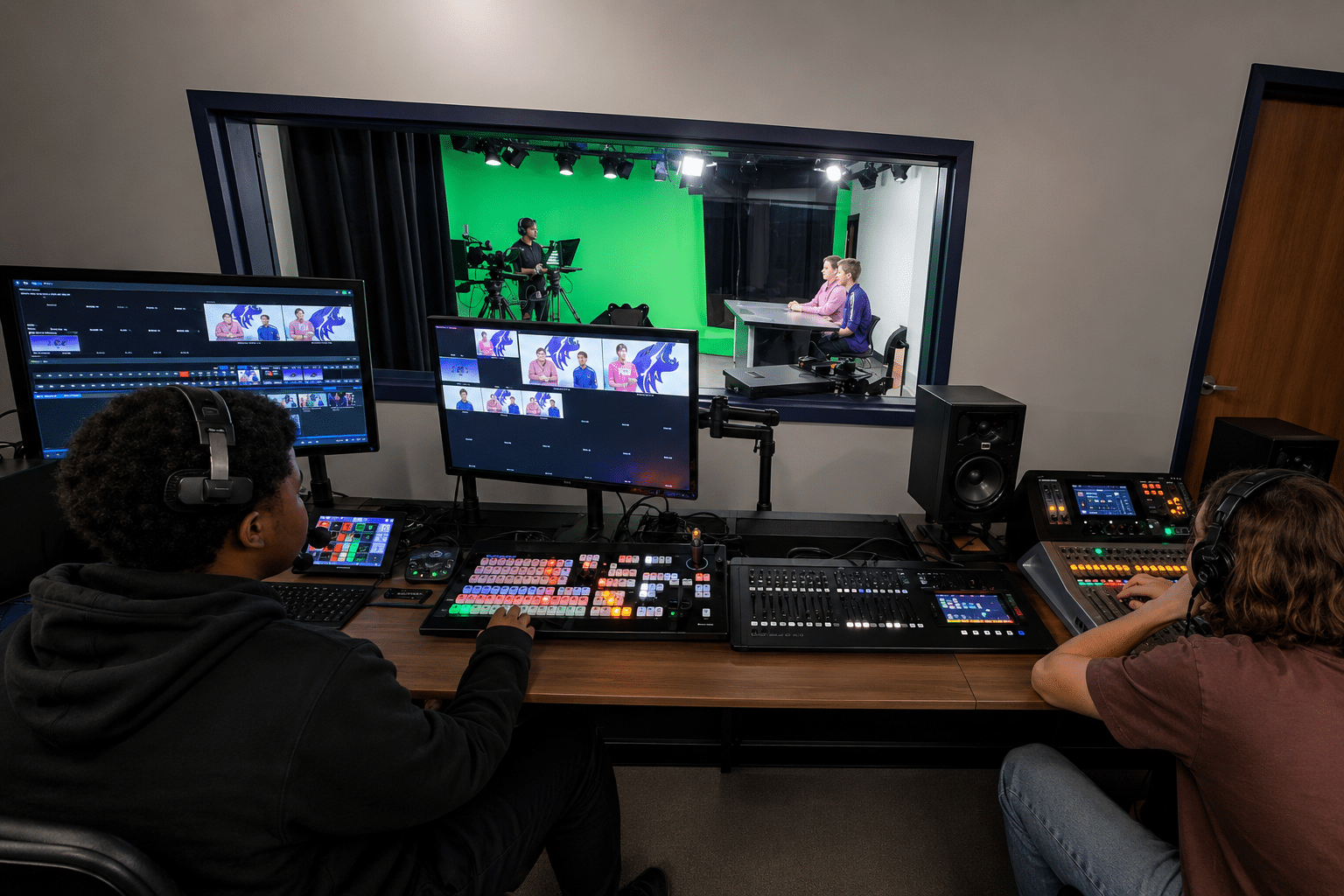
- Broadcast Control Room. A dedicated broadcast control room provides a purpose-built space where operators can switch among cameras, manage audio, run graphics, manage hybrid audiences, and queue participants as needed. Separating the control room from a rack room will enhance heat and noise management as well as room ergonomics, boosting comfort for control room staff.
- Green Room. Here presenters can gather and prepare before taking the stage. A green room can also incorporate a hair and makeup space, provide a place for guests to get wired for mics, and function as a rehearsal space. Not every town hall will need this amenity, but your use cases might justify one.
- Configurability features. Even if your town hall space cannot be subdivided, you still have configurability options that can boost its utility.
- Air Walls. Movable partitions can divide a large space into smaller sections while providing sound isolation. Commonly used in hotels and convention centers, air walls can help town hall spaces accommodate varying group sizes, break-out sessions, and simultaneous gatherings.
- Zoned and mobile displays. In environments that cannot be subdivided or otherwise reconfigured to suit specific events, zoned and mobile displays (think of an 80” LED display on a rolling cart) allow you to transform a very large environment into a more intimate space.
2. Prioritize High-Quality Audio
Everything depends on effective audio. Without it, participants quickly disengage. The good news is that the audio industry has charted tremendous advances to ensure that every participant can hear and be heard:
- Microphone Systems. Choose wireless lapel mounted or ceiling mount beam-forming microphones for flexibility and coverage. There are even portable handheld solutions that house a microphone and wireless transmitter surrounded by a cushioned cube (often bearing your company logo).
- Speakers. High-fidelity speakers distribute sound evenly across the room, and a distributed sound system will help ensure even sound coverage without hotspots or dead zones.
- Acoustic Treatments. Mitigate echoes and enhance clarity with acoustic paneling and soft, sound-absorbent wall, ceiling and floor surfaces. They’ll help eliminate echoes, deaden reverberation, and minimize background noise.
- Mixing. You may want a skilled audio engineer to handle mixing for complex events. Automatic audio mixers are also an option.
- Presenter training. Ever been frustrated by a speaker who keeps forgetting how to hold a mic? Invest in training to ensure presenters know how to position themselves in relation to a lectern mic, use a hand-held mic, or even clip on a lapel mic.
3. Focus on Visual Displays
High-definition visuals are essential, whether you’re presenting charts, slides or live video. Consider which technologies will best advance your meeting strategy:
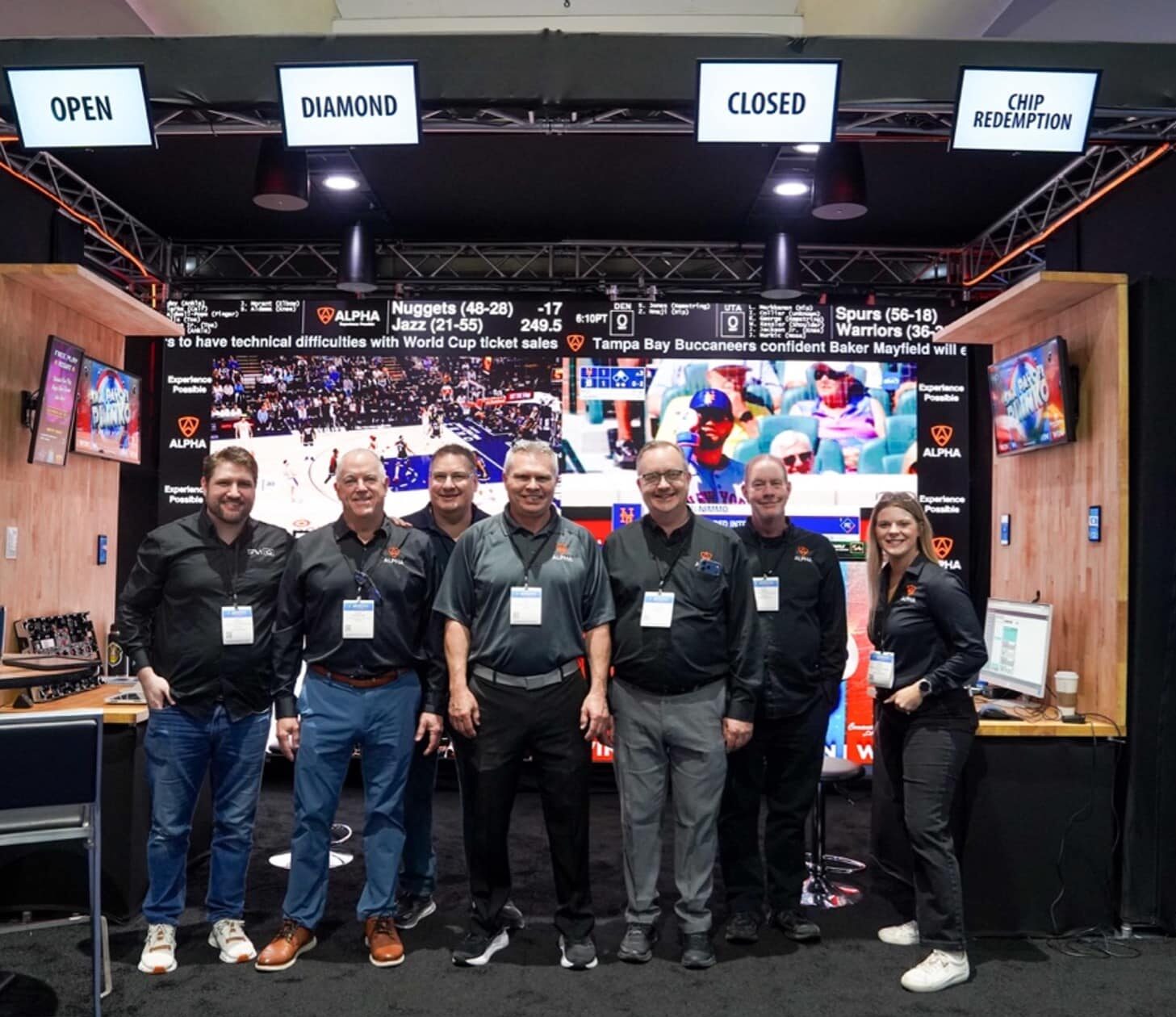
- Direct-view LED video walls are increasingly the display of choice. The advantages of LED technology go beyond unequaled brightness and sharpness. Displays can be custom configured to accommodate architectural needs and aesthetic preferences. They send a message that you’re serious about providing the best possible experience. You can even have multiple displays for spaces with wide seating layouts at increasingly affordable prices.
- Projection technology is a popular choice for larger spaces. Let’s be honest: Projection technology doesn’t have the cache of LED. There’s a perception that you may have sacrificed image quality for cost savings. But while projection tends to be more affordable than large-scale LED displays, quality has risen dramatically over time. Just be sure to choose high-lumen brightness projector for better visibility.
4. Design for Seamless Hybrid Integration
Modern town halls often require hybrid setups to connect remote participants, so choose technology that best integrates your AV solution to your client’s preferred streaming platforms, such as Teams, Zoom, Google Meet, or CDN partner. Knowing this from the start will enable you to provide a seamless user experience.
Hybrid meetings depend on pan-tilt-zoom (PTZ) cameras to capture speakers and audience reactions. You may want a two camera configuration for on-stage presenters and another trained on the audience. Covering an event from different angles makes meetings more engaging and intimate for remote audiences. You’ll also want to pay close attention to the bandwidth and network stability requirements that enable uninterrupted streaming.
5. Ensure User-Friendly Control
The latest technology tends to incorporate features like centralized control panels with intuitive touchscreens for simplified operation, as well as automation that allows for pre-programmed lighting, audio and display settings.
Before creating your town hall environment, think carefully about your expected use cases and how best to accommodate them. For example, you may anticipate that your all-hands space will be used for major corporate events that are best managed with a fully equipped control room operated by professional staff. But what about occasions that simply call for a well-equipped collaboration environment? It may be wise to include a self-service control interface that allows users to activate a room with a push of a button. Remember also to include basic HDMI input for BYOD use cases.
6. Consider the Spectrum of Your Lighting Needs
Especially for rooms with hybrid capabilities, there are two main lighting components you’ll want to consider:
- Lighting for broadcast: Front lighting, stage wash, stage fill, back lighting – all these components are necessary for high-quality broadcasting. By focusing on lighting angles, you can create depth and prevent flat-looking subjects. Even illumination with consistent color temperature is a key to setting the right mood and avoiding harsh shadows and hotspots, so you’ll need to have the capability to cast soft, diffused lighting from your lighting fixtures. Current lighting systems typically use LED technology to lower power requirements while generating less heat.
Different use cases will call for dimming and control capabilities as well. Consider also the benefits of having separate lighting for backdrops for depth and separation between the presenter and background. In addition, use fanless, flicker-free fixtures to avoid noise and refresh-rate issues on camera.
- Lighting for in-room attendees: RGB lighting helps establish room ambiance for attendees. Remember that balanced illumination room wide will help prevent dark spots and hotspots while also eliminating shadows. Likewise, avoid overly bright lighting that can cause eye strain or discomfort among those most exposed to it.
As with broadcast illumination, dimmable and adjustable lighting with consistent color temperature will help create a cohesive environment. You can also boost engagement by maintaining enough brightness for remote viewers to see audience reactions and perhaps using accent lighting to create a more dynamic look when broadcasting.
Tips for Purchasing or Renovating AV Technology for Town Halls
When it comes to pulling the trigger on new gear or renovating existing AV technology in a town hall environment, advance planning will save you money and prevent headaches and fixes down the road. Here are a few tips to ensure your results achieve your objectives:
- Assess your current equipment. Audit your existing setup comprehensively. The more carefully you inventory the gear you have, the more efficiently you’ll arrive at the right solution for your needs.
- Work with AV experts. An experienced AV integrator can recommend solutions that are tailored to your space, budget and goals, and will be able to interface most effectively with subcontractors ranging from acousticians to lighting designers. The difference in outcomes is most dramatic when you compare an experienced AV designer/integrator with a DIY approach that relies on internal facilities resources. For example, the expertise and resources of an AV pro can shorten timelines dramatically. Short delays can be absorbed. Major disruptions can wreak havoc on important company timelines.
- Plan for scalability. Choose equipment that can adapt as your needs evolve. Today, for example, advances in modular AV technology design allow for upgrades without the need for a total overhaul of your setup. You should also prioritize equipment that has greater longevity and enjoys strong manufacturer support.
- Budget wisely. Allocate your expenditures strategically, first by prioritizing high-impact elements like audio, displays and connectivity, but budget also for operational requirements, maintenance, software upgrades and scalability. Remember, the investment to create a town hall environment is just part of what you’ll pay over the long haul to run, maintain and adapt your space. Consider too how your space might be used as a revenue generator. Forethought in design could increase its appeal as a rental venue.

Trends Shaping AV Technology in Town Halls
As the AV landscape evolves, here are some of the technology trends to be aware of:
- AI-Powered Systems: From automatic camera tracking to real-time close captioning and multi-language translation, AI can enhance efficiency and introduce new capabilities to a town hall environment.
- Wireless Collaboration: Enhance flexibility, efficiency and collaboration in a town hall environment by enabling presenters to cast from a wide range of devices without needing physical connections. Beyond supporting BYOD use cases, wireless casting technologies allow multiple presenters to quickly switch between sources. Some also support multi-screen or split-screen presentations. Moreover, many wireless casting solutions integrate with popular streaming platforms while offering low-latency, high-resolution video and synchronized audio.
- Accessibility features: Talk to your technology partner about how an all-hands space can be impacted by closed captioning for presentations and video feeds, multi-lingual support, and assistive listening technologies, including induction loops, infrared systems or FM transmitters for hearing-impaired attendees. An AV pro can also help ensure that equipment and displays are positioned at heights suitable for all meeting participants.
Make the Most of Your Town Hall Technology
Okay, you’ve done the leg work to figure out use cases and have engaged the best professionals to make your vision possible. But don’t stop there. Here are some powerful ways to maximize your all-hands space ROI:
- Train Your Team. Make sure employees know the system. And remember that training isn’t a one-time thing. Teams turn over. Technologies and best practices evolve. Knowing that your solution will only work as effectively as those operating it, treat training as an ongoing investment.
- Test Before Meetings. Remember, technology WILL fail at some point. People make mistake. Accidents happen. Any number of things can reduce system performance, so make it a policy to test your town hall technology before important meetings.
- Support contracts. Ongoing maintenance and technical support optimize usability and performance. Note, also, that providers of managed services offer varying levels and types of support, including remote monitoring of connected devices to detect failures well before that big meeting. Moreover, proactive technology management can also include remote equipment fixes.
- Gather Feedback: After each meeting, collect feedback from presenters and attendees. No matter how thoughtfully you designed your town hall, users can provide valuable insights into design and performance.
Investing in Better Communication Always Pays Off
While town Hall spaces are a significant investment, their popularity testifies to the value they can create. At the heart of the solution is the AV technology that brings these environments to life by enabling collaboration and fostering engagement.
Get the most from your town hall meeting technology by considering who will use it and how they’ll use it. Then select a partner who understands not just the components of a solution, but how they come together to create a seamless, inclusive communication experience.
Talk to an Alpha expert about your vision for a town hall.